On this page
- What Is an Automotive CRM?
- Why Dealerships Use CRM Software
- Core Capabilities to Look for in an Automotive CRM
- How an Automotive CRM Fits Into the Dealership Sales Journey
- Practical Dealership Example
- Common Automotive CRM Mistakes
- How to Evaluate an Automotive CRM
- Cyepro Relevance
- Explore Cyepro
- Conclusion
- Frequently asked questions
Key takeaways
- What Is an Automotive CRM?
- Why Dealerships Use CRM Software
- Core Capabilities to Look for in an Automotive CRM
A dealership can receive enquiries from a website, social media, third-party portals, phone calls, walk-ins and other channels. The challenge is not simply collecting those enquiries. Sales teams also need to know who owns each lead, what the customer asked for, what happened in the last interaction, and what should happen next.
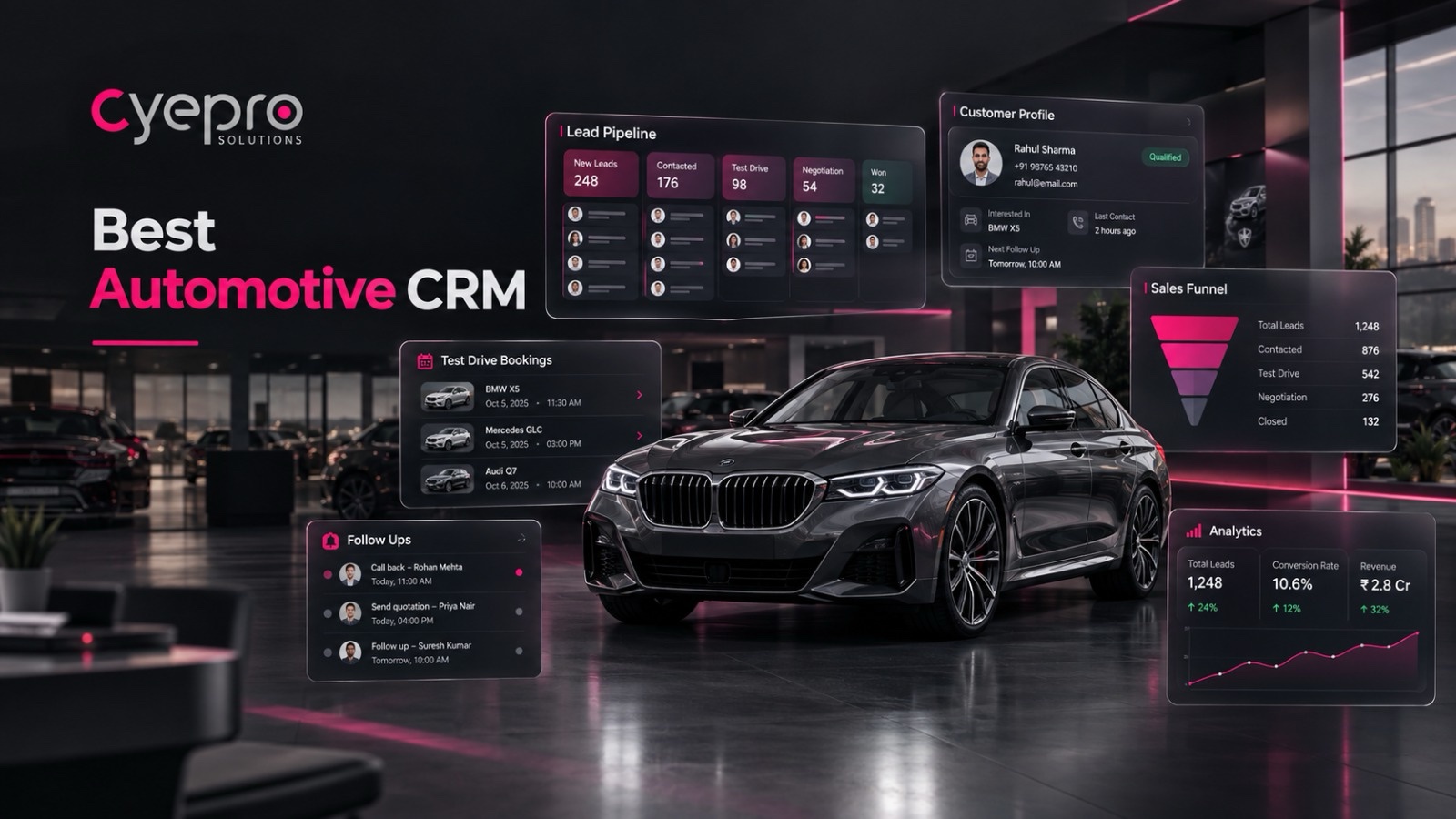
That is where an automotive CRM becomes useful. An automotive CRM is a customer relationship management system designed to organise customer information and sales activity around the way automotive businesses work. For a dealership, the system can bring leads into one place, support follow-up, keep interaction history visible, and give managers a clearer view of the sales process.
This guide explains what automotive CRM software does, how it fits into dealership sales, which capabilities matter, common implementation mistakes, and what to look for when evaluating a dealership CRM.
What Is an Automotive CRM?
An automotive CRM is software that helps a dealership organise customer information, interactions, leads and sales activity in a structured system. Instead of relying on separate spreadsheets, inboxes, messages and individual notes, the dealership can maintain a shared record of the customer journey.
A dealership CRM is not just a contact database. Its practical value comes from connecting customer information with actions. A lead can be captured, assigned to a salesperson, followed up, moved through sales stages, and reviewed by a manager without losing the context of earlier interactions.
For example, imagine a customer enquires about an SUV through a website form. The dealership needs more than the customer's name and phone number. The team may need to know the requested model, source of the enquiry, previous conversations, follow-up status and next task. A CRM gives the team a structured place to manage that information.
The exact scope differs between platforms, so dealerships should evaluate features against their own sales process rather than assuming every CRM works the same way.
Why Dealerships Use CRM Software
The automotive sales process has many handoffs. A lead may move from marketing to a BDC representative, then to a salesperson, then to a test drive or quotation stage. When information is scattered, managers can struggle to see what is happening across the team.
A car dealership CRM can help create a shared operating process around the customer. Common uses include:
• Capturing enquiries from multiple sources. • Assigning ownership and follow-up tasks. • Recording customer interactions and engagement history. • Tracking opportunities through sales stages. • Giving managers visibility through reports or dashboards. • Supporting communication across available channels. • Creating a consistent process for sales teams.
The objective is not to replace the salesperson. It is to give the salesperson better context and give the manager better visibility into the work that needs attention.
Core Capabilities to Look for in an Automotive CRM
When evaluating automotive CRM software, start with the dealership workflow rather than a long feature checklist. The following capabilities are particularly relevant to lead-driven dealership sales.
1. Multi-Source Lead Capture
Leads can arrive through different channels. A useful CRM should provide a clear way to bring those enquiries into a common workflow. Cyepro states that it can unify leads from walk-ins, websites, social media and third-party portals into one dashboard. This type of centralisation helps teams work from a shared queue instead of maintaining separate lists.
2. Follow-Up and Task Management
A lead record becomes more useful when it is connected to the next action. Task management can help salespeople know which customer needs attention and help managers review follow-up activity. Cyepro describes automated task tracking and intelligent follow-ups as part of its platform.
3. Customer Interaction History
A customer may speak with a dealership several times before making a decision. A CRM should make relevant interaction history accessible so the next salesperson does not have to reconstruct the conversation from memory or scattered messages. Cyepro describes Lead 360° as providing customer journey visibility with interaction history and engagement tracking.
4. Communication Support
Dealerships often communicate through more than one channel. Cyepro currently describes automated WhatsApp, SMS and email follow-ups with real-time alerts when leads arrive. When evaluating any platform, confirm which channels are actually supported, how messages are logged, and what automation controls are available.
5. Reporting and Dashboards
Managers need a way to understand activity without asking every salesperson for a manual update. Real-time dashboards can make operational information easier to review. Cyepro describes interactive, real-time analytics that update as the team works.
6. Mobile Access
Automotive sales teams are not always sitting at a desk. A CRM with mobile access can make customer and task information available while teams are moving around the dealership or working away from a desktop. Cyepro describes a mobile-first design with iOS and Android access, offline mode and push notifications.
7. Integration Workflows
A dealership rarely operates with one software system. CRM evaluation should therefore include the question: can the platform work with the systems and lead sources already used by the dealership? Cyepro states that it supports API-based integration workflows, while also noting that the exact integration scope depends on the systems used by the dealership.
How an Automotive CRM Fits Into the Dealership Sales Journey
A practical CRM workflow can be viewed as a sequence:
- Capture — An enquiry enters the dealership system.
- Assign — The lead is routed to the appropriate person or team.
- Understand — The salesperson reviews the customer and enquiry context.
- Follow up — The next action is completed and recorded.
- Progress — The opportunity moves through defined sales stages.
- Review — Managers monitor activity, pending tasks and pipeline visibility.
- Close or nurture — The customer either progresses toward purchase or remains in a defined follow-up process.
The value is in making the process visible and repeatable. A CRM should support the dealership's actual workflow instead of forcing the team into a process that does not match how it sells.
Practical Dealership Example
Consider a customer who submits a website enquiry for a new vehicle. Without a structured system, the enquiry might sit in an email inbox while the sales team separately maintains a spreadsheet.
With a CRM-based process, the enquiry can enter the common lead workflow, be assigned to a salesperson, and become associated with a next task. When the salesperson speaks with the customer, the interaction can be recorded. If the customer requests a test drive, the team can track that next step rather than relying on memory.
For a sales manager, the benefit is visibility: the manager can review which leads are active, which tasks are pending and how opportunities are moving through the process. The CRM does not guarantee a sale; it provides the operating structure for the team to manage the opportunity.
Common Automotive CRM Mistakes
Choosing software is only part of the implementation. Dealerships can still struggle if the process around the CRM is unclear.
Common mistakes include:
• Capturing leads without defining ownership. • Creating too many sales stages that nobody uses consistently. • Allowing customer records to remain incomplete. • Recording activity without defining the next action. • Automating messages without clear rules or useful context. • Building reports before agreeing on the definitions behind each metric. • Choosing features without checking integration requirements. • Treating the CRM as a manager-only reporting tool instead of a daily sales workspace.
A simple, consistently followed process is often more useful than a complicated workflow that salespeople avoid.
How to Evaluate an Automotive CRM
Before choosing a dealership CRM, document the current process. Ask where leads arrive, who assigns them, how follow-ups are tracked, how managers review activity, and where customer information is currently stored.
Then evaluate each CRM against the workflow. Useful questions include:
• Can the system centralise the lead sources we actually use? • Can our team assign ownership clearly? • Can salespeople see the customer's interaction history? • Can we create and track follow-up tasks? • Which communication channels are supported? • What dashboards and reports are available? • Can salespeople use the platform on mobile? • Can it integrate with our existing systems? • How easy is it for managers and sales executives to use every day? • What product claims require confirmation during a demo?
This approach keeps the evaluation grounded in dealership operations rather than feature-count comparisons.
Cyepro Relevance
Cyepro positions itself as an all-in-one automotive CRM for car dealerships, with a focus on managing the sales journey from enquiry to delivery. Its current website describes multi-channel lead capture, WhatsApp/SMS/email follow-ups, real-time alerts, Lead 360°, task management, dashboards, mobile access, geo-tracking and API-based integration workflows.
For dealerships evaluating a CRM, these capabilities map to several practical needs: bringing enquiries into one workflow, maintaining customer context, keeping follow-up visible, and giving managers a real-time view of sales activity. The exact fit should still be assessed against the dealership's systems, processes and integration requirements.
Explore Cyepro
If your dealership is reviewing its current lead and follow-up process, explore Cyepro's automotive CRM features and map them against the workflow your sales team uses today. A product walkthrough can help your team determine which capabilities are relevant to its operation. See a live demo.
Conclusion
An automotive CRM is most useful when it becomes part of the dealership's daily sales process. It can give teams a common place to manage enquiries, customer context, follow-up tasks and sales activity, while giving managers better visibility into the pipeline.
The right choice depends on the dealership's workflow and technology environment. Start by documenting how leads move today, identify the gaps, and then evaluate CRM platforms against those real requirements. For dealerships considering an automotive-focused platform, Cyepro is one option to explore as part of that evaluation.
Frequently asked questions
What is an automotive CRM?
An automotive CRM is software that helps dealerships manage customer information, enquiries, interactions, follow-up activity and sales opportunities in a structured system.
How is a dealership CRM different from a general CRM?
An automotive CRM is evaluated around dealership workflows such as vehicle enquiries, sales follow-up, test-drive activity and dealership sales processes. The exact automotive capabilities vary by platform.
Can an automotive CRM manage leads from different sources?
Many automotive CRMs support multi-source lead management. Cyepro currently states that it can unify leads from walk-ins, websites, social media and third-party portals into one dashboard.
What should a dealership check before buying CRM software?
Start with your existing workflow, then evaluate lead capture, ownership, follow-up, customer history, reporting, mobile access, communication support and integration requirements.
Does CRM software replace dealership salespeople?
No. CRM software provides structure, information and task visibility; salespeople still handle customer conversations, product discussions and relationship building.